
The ASUS ROG Ally isn’t just a sleek piece of tech; it’s a gaming powerhouse ready to unleash epic adventures. If you’re wondering which games will make your new gadget sing, you’re in for a treat. From jaw-dropping graphics to heart-pounding action, the right games can transform your gaming experience from “meh” to “WOW!”
Overview of Asus ROG Ally
Asus ROG Ally stands out as an advanced handheld gaming console, showcasing robust hardware specifications. Featuring a high refresh rate display, the device delivers fluid visuals, enhancing the overall gaming experience. Equipped with an AMD Ryzen Z1 processor, it supports demanding games with ease, ensuring smooth performance.
The inclusion of AMD RDNA 3 graphics further boosts its capability, enabling stunning graphics and fast frame rates. Users can enjoy a diverse library of games ranging from intense action titles to immersive RPGs. Compatibility with services like Xbox Game Pass allows users to access a vast selection of games for an enriched experience.
Portability defines Asus ROG Ally, making it suitable for gaming on the go. Weighing about 600 grams, it fits snugly in a backpack without adding significant bulk. Battery life lasts up to 5 hours on high-performance settings, allowing for extended play sessions.
Storage options include SSD upgrades, facilitating quick load times and ample space for multiple games. Optional accessories like an external dock enhance connectivity options, such as additional display outputs. Gamers benefit from customizable controls and a comfortable ergonomic design, catering to long hours of play.
Built-in software features add to its appeal, with a user-friendly interface that optimizes users’ gaming preferences. By prioritizing high-quality games tailored to this device, gamers can maximize the ROG Ally’s potential and enjoy an extraordinary gaming adventure.
Best Games for Asus ROG Ally
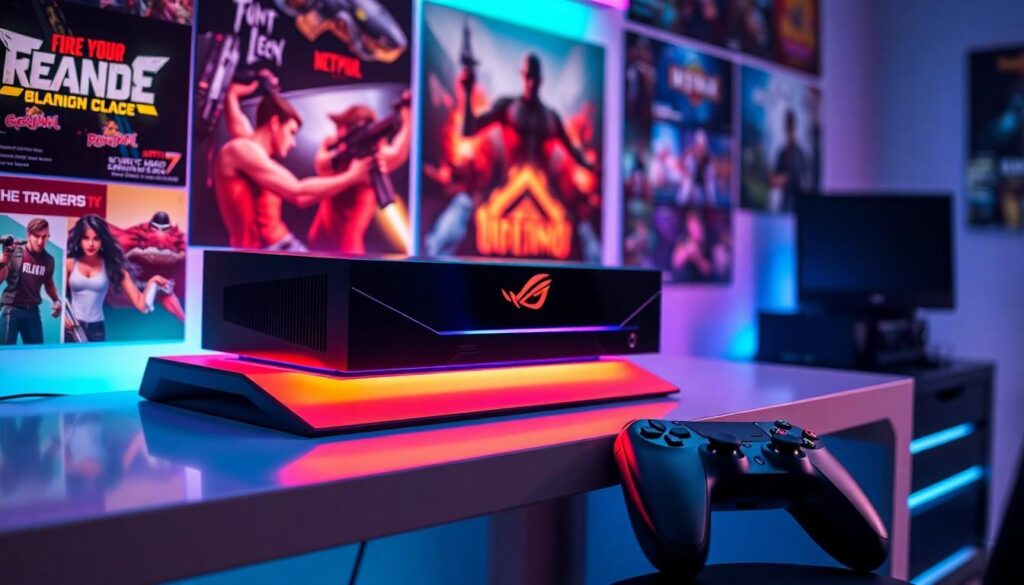
Gamers can experience a rich variety of titles on the Asus ROG Ally, which maximizes its gaming capabilities. Selecting the right genres enhances gameplay significantly.
Action and Adventure Games
Popular action and adventure games stand out for their engaging gameplay and stunning visuals. Titles like God of War, showcasing epic battles and intricate storytelling, leverage the powerful AMD RDNA 3 graphics. Hades offers fast-paced combat with charming art design, providing an immersive experience. The combination of the high refresh rate display and responsive controls enhances movement and reaction times, making every encounter thrilling. Players also find Ghost of Tsushima captivating due to its breathtaking landscapes and fluid combat mechanics.
Role-Playing Games
Role-playing games capture attention with their deep narratives and character development. The Witcher 3 delivers an expansive open world filled with rich lore and choices that impact the story. On the other hand, Persona 5 Royal offers a unique blend of turn-based combat and social simulation, making it a favorite among RPG enthusiasts. The seamless graphics and dynamic gameplay on the ROG Ally heighten the overall experience. Additionally, fans enjoy Elden Ring for its vast environments and challenging battles, showcasing the device’s processing power.
Strategy Games
Strategy games thrive on the Asus ROG Ally, as they demand quick thinking and sharp tactics. Age of Empires IV captivates players with its historical campaigns and real-time challenges. A game like Civilization VI allows for endless strategies and complex decision-making, seamlessly running on the device. The graphics and interface are intuitive, ensuring smooth gameplay experiences. Players gravitate toward XCOM 2 for its tactical depth and engaging storyline, perfectly suited for immersive sessions. The ROG Ally’s capabilities bring these strategic choices to life.
Performance Optimization for Gaming
Optimizing performance on the ASUS ROG Ally enhances the gaming experience significantly. Focus on graphics settings and battery life for the best results.
Graphics Settings and Tweaks
Adjusting graphics settings improves visual quality and frame rates. Lowering resolution in demanding games can boost performance without sacrificing much detail. Turning off shadows and lowering texture quality are effective methods for maintaining fluid gameplay. NVIDIA DLSS or AMD FSR technologies can increase frame rates while preserving graphics fidelity. Furthermore, ensuring the latest graphics drivers are installed ensures compatibility and performance enhancements. Users can access these settings through the in-game graphics menu, allowing for tailored adjustments that match each game.
Battery Life Considerations
Battery life impacts mobile gaming experiences. Activating battery saver modes prolongs playtime on high-performance settings. Monitoring background applications prevents unnecessary drain on resources and power. Reducing screen brightness makes a noticeable difference in battery longevity. Taking advantage of power management settings limits performance to extend gaming sessions. Carrying a portable charger provides peace of mind during prolonged gameplay. Adjusting these settings supports an uninterrupted gaming experience on the go.
User Experience and Feedback
Users consistently praise the ASUS ROG Ally for its outstanding performance and user-friendly interface. Many gamers appreciate the high refresh rate display, which ensures smooth visuals when playing fast-paced games. The AMD Ryzen Z1 processor contributes significantly to this experience, allowing for seamless gameplay without lag.
Battery life generates mixed feedback; some users find the five-hour duration manageable during short gaming sessions. Others note that playing demanding titles may lead to quicker battery drain. Taking charge of battery management settings proves essential in maximizing playtime.
The ergonomic design garners positive remarks, as it accommodates extended gaming periods. Customizable controls resonate well with gamers seeking personalized setups. Reviews highlight the joy of using the device for various genres, from intense action games like God of War to immersive RPGs such as The Witcher 3.
Storage options enhance user experiences through quicker load times. Many players opt for SSD upgrades, as these boost overall performance. Those utilizing external docks for connectivity express satisfaction with the added versatility.
Feedback concerning the overall game library emphasizes that not all titles perform equally. While many gamers endorse the ROG Ally for its adaptability, some specific games may require graphic adjustments for optimal performance. Leveraging settings such as resolution and texture quality allows for smoother gameplay.
Gamers often recommend titles that fully utilize the device’s capabilities. Action, strategy, and RPG genres consistently surface in discussions, showcasing the ROG Ally’s versatility. By prioritizing the right games, users can ensure that their experience remains engaging and entertaining.
Conclusion
Choosing the best games for the ASUS ROG Ally can significantly enhance the gaming experience. With its powerful hardware and impressive graphics capabilities, this handheld device is perfect for a variety of genres. Gamers can fully immerse themselves in action-packed adventures or deep RPG narratives, ensuring every session is engaging.
Optimizing performance through smart settings adjustments can lead to longer playtimes and smoother gameplay. By exploring the recommended titles and utilizing the device’s features, players can maximize their enjoyment and make the most of their ASUS ROG Ally. Embracing the right games not only showcases the device’s potential but also transforms gaming into an extraordinary journey.