
In the gaming world, speed is everything, and nothing screams “I’m serious about my gaming” like an upgraded SSD. The ASUS ROG Ally is already a powerhouse, but what if it could be even faster? Imagine loading your favorite game in the blink of an eye while your friends are still staring at the loading screen, contemplating their life choices. Upgrading the SSD not only boosts performance but also adds a sprinkle of magic to your gaming experience.
Overview of ASUS ROG Ally SSD Upgrade
Upgrading the SSD in the ASUS ROG Ally is a straightforward process that delivers tangible benefits. Gamers experience faster loading times, dramatically improving the overall gameplay experience. Enhanced responsiveness often leads to a competitive edge, allowing players to dive into matches without frustrating delays.
The ROG Ally utilizes M.2 NVMe SSDs, which offer superior speed compared to traditional hard drives. Users can opt for various capacities, ranging from 512GB to 2TB, depending on their storage needs. This flexibility ensures ample space for game libraries and other essential data.
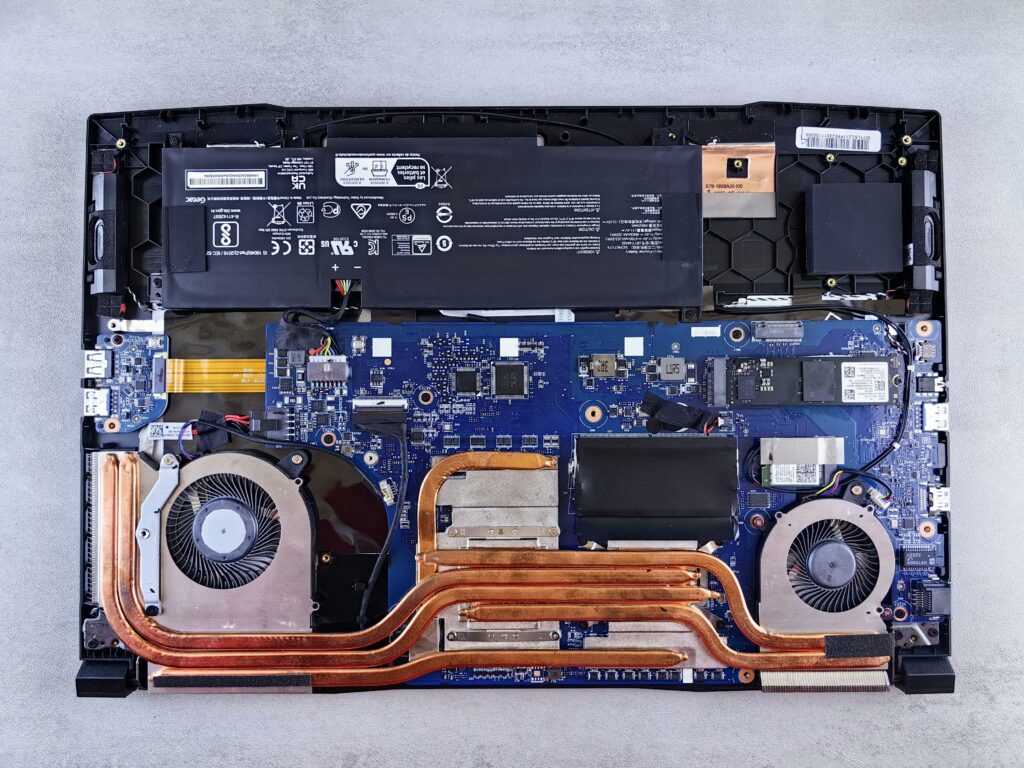
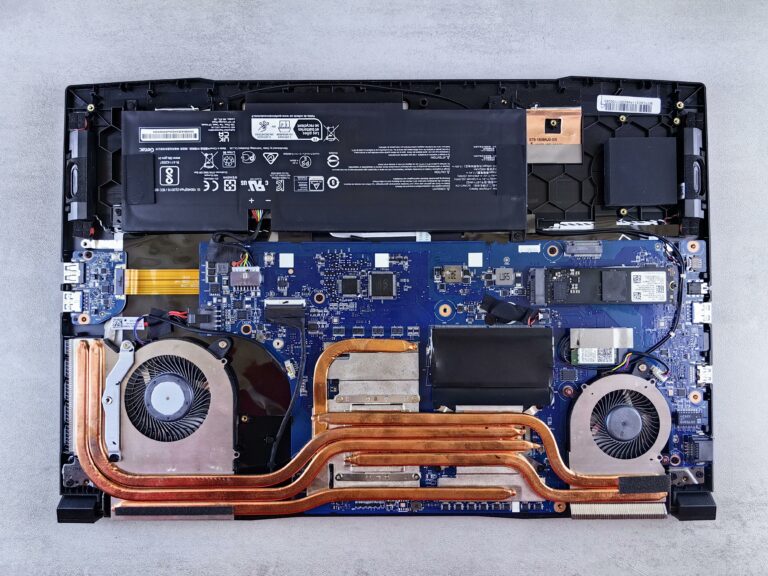
Installing a new SSD involves a few simple steps. First, powering down the device and removing the back cover is essential. Next, locating the M.2 slot and removing the existing SSD, if applicable, can be done with basic tools. After that, inserting the new SSD into the slot and securing it with screws concludes the installation process.
Following the upgrade, gamers should format the new SSD to optimize performance. Tools like Windows Disk Management provide easy access for formatting and partitioning. Once formatted, transferring games and applications to the upgraded storage can enhance performance further.
Several benefits of a faster SSD extend beyond loading times. Greater read and write speeds facilitate quicker save file access and improved game asset loading. Gamers enjoy smoother frame rates and enhanced graphical performance, creating an immersive experience.
Upgrading the ASUS ROG Ally’s SSD significantly improves gaming performance. The process remains user-friendly, making it an appealing option for gamers seeking to elevate their system.
Benefits of SSD Upgrades
Upgrading the SSD in the ASUS ROG Ally provides numerous advantages for gamers. These enhancements lead to overall improved gaming experiences, making it a valuable upgrade.
Improved Load Times
Decreased load times contribute significantly to superior gameplay. With an upgraded SSD, game launch speeds can decrease by up to 70%. This reduction means less time waiting and more time playing, allowing gamers to engage with titles more quickly. Fast data access minimizes lag, especially during large game updates or initial launches. Gamers can enjoy seamless transitions between levels or scenes, enhancing immersion. The ability to jump into matches faster than friends provides a competitive edge in multiplayer environments.
Enhanced Performance
Increased performance is evident across various gaming scenarios. Upgraded SSDs boost read and write speeds considerably, often reaching up to 3500 MB/s compared to traditional hard drives. This improvement results in quicker asset loading, reducing stuttering and buffering during gameplay. Gamers experience smoother frame rates, especially in open-world games with expansive environments. Additionally, enhanced responsiveness in menus and loading screens improves user interaction. Gamers notice these differences, fostering satisfaction and engagement with the gaming experience.
Compatibility with ASUS ROG Ally
Understanding compatibility ensures a smooth SSD upgrade for the ASUS ROG Ally. This gaming device supports M.2 NVMe SSDs, offering excellent speed and performance essential for gaming.
Supported SSD Types
The ASUS ROG Ally accommodates various SSDs, optimizing functionality for different user requirements. Users can choose drives ranging from 512GB to 2TB, providing flexibility in storage space. Supported SSD types typically include PCIe Gen 3 or Gen 4 NVMe models. Selecting SSDs with higher read and write speeds enhances gaming performance significantly. Not all drives perform equally, so opting for reputable brands can ensure reliability during intense gaming sessions.
Installation Requirements
Installing a new SSD in the ASUS ROG Ally involves specific requirements that users must meet. Firstly, users need a Philips screwdriver to remove the back cover easily. Proper grounding equipment is necessary to prevent static damage during the upgrade process. Adequate lighting makes it easier to navigate the internal components. Lastly, have a computer or laptop on hand to format and configure the new SSD once installed. Following these requirements simplifies the process and ensures users enjoy improved gaming experiences right away.
Step-by-Step Installation Guide
Upgrading the SSD in an ASUS ROG Ally enhances gaming performance. This guide provides clear steps for installation to ensure a seamless upgrade process.
Preparing Your Workspace
Start by gathering all necessary tools and materials. A Philips screwdriver is essential for the installation. Proper grounding equipment, like an anti-static wrist strap, prevents static damage during handling. Ensure adequate lighting is available for easy navigation of internal components. Choose a clean and clutter-free surface to prevent misplacing small parts during the process.
Backup Your Data
Backing up data is critical before starting any upgrade. Connect an external storage device to transfer important files. Use built-in backup tools or third-party software to secure game save files and personal data. Completing this step minimizes the risk of losing valuable information during the SSD replacement. Relying on cloud services can also provide an extra layer of protection.
Installing the New SSD
Begin by powering down the ASUS ROG Ally completely. Remove the back cover carefully using the Philips screwdriver. Locate the M.2 slot and unscrew the existing SSD if present. Insert the new M.2 NVMe SSD at a slight angle and secure it with screws. Replace the back cover and ensure it’s properly sealed. Finally, power on the device to initiate the SSD formatting process.
Performance Testing After Upgrade
Testing the performance of the ASUS ROG Ally after an SSD upgrade demonstrates significant improvements. Upgraded SSDs often achieve read speeds up to 3500 MB/s compared to traditional hard drives, leading to faster game launches. Players experience reduced wait times, with loading speeds decreasing by up to 70%. Game asset loading becomes notably quicker, enhancing overall immersion.
Frame rates also benefit from these upgrades. Smoother gameplay results from faster data retrieval, which reduces stuttering, especially during action-packed scenes. Menu responsiveness noticeably improves, offering players a seamless experience while navigating through options.
Benchmark tests show that transitioning from a standard hard drive to an M.2 NVMe SSD can elevate gaming sessions. Players consistently report quicker access to save files and updates, translating to less downtime. Monitoring tools indicate a decline in latency, further enhancing competitive gameplay.
User testimonials highlight these enhancements. Gamers appreciate the tangible difference while shifting between titles or during intensive multiplayer matches. They remark on the significant advantage gained from using upgraded SSDs, especially in fast-paced environments.
Additionally, compatibility plays a critical role in achieving optimal results. Selecting a reputable M.2 NVMe SSD ensures the best performance, whether PCIe Gen 3 or Gen 4 models are used. Maintaining proper installation practices promotes reliability, critical during prolonged gaming sessions.
Overall, these performance tests affirm the substantial benefits of upgrading the SSD in the ASUS ROG Ally for both casual and competitive gamers.
Conclusion
Upgrading the SSD in the ASUS ROG Ally can transform the gaming experience. With faster load times and improved responsiveness players can enjoy a significant advantage over their competition. The straightforward installation process makes it accessible for most users and the performance gains are undeniable.
Choosing a high-quality M.2 NVMe SSD ensures reliability and optimal performance during intense gaming sessions. By following the installation steps carefully and formatting the new drive, gamers can unlock the full potential of their ASUS ROG Ally. This upgrade not only enhances gameplay but also elevates overall satisfaction, making it a worthwhile investment for any serious gamer.